9 posts tagged with "Documentation"

Documentation posts and guides.

View All Tags

v2.0.7 Time entries

· 2 min read
John Renfrew
Programmer and data architect

Version 2.0.7 Student time-entry

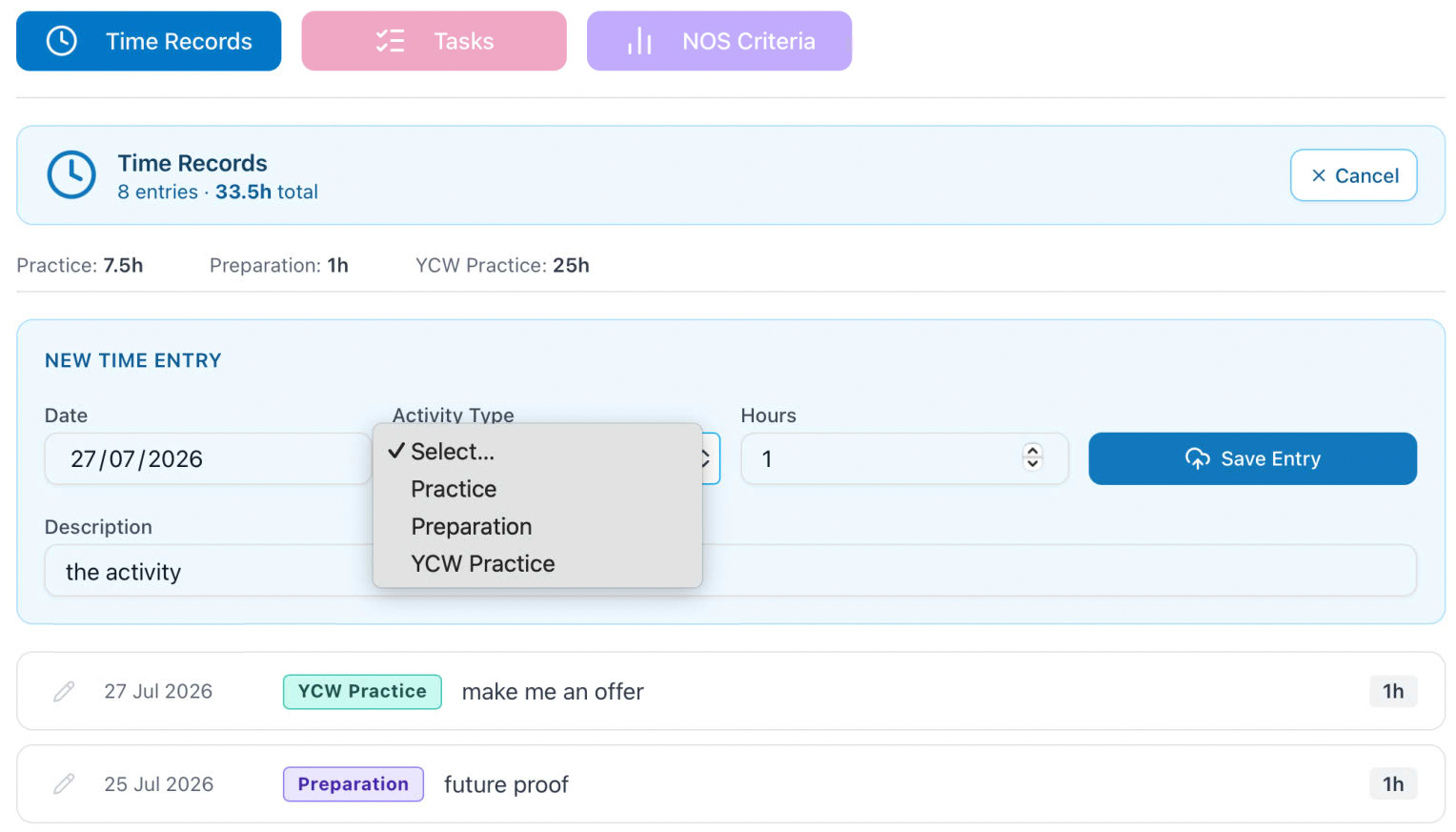
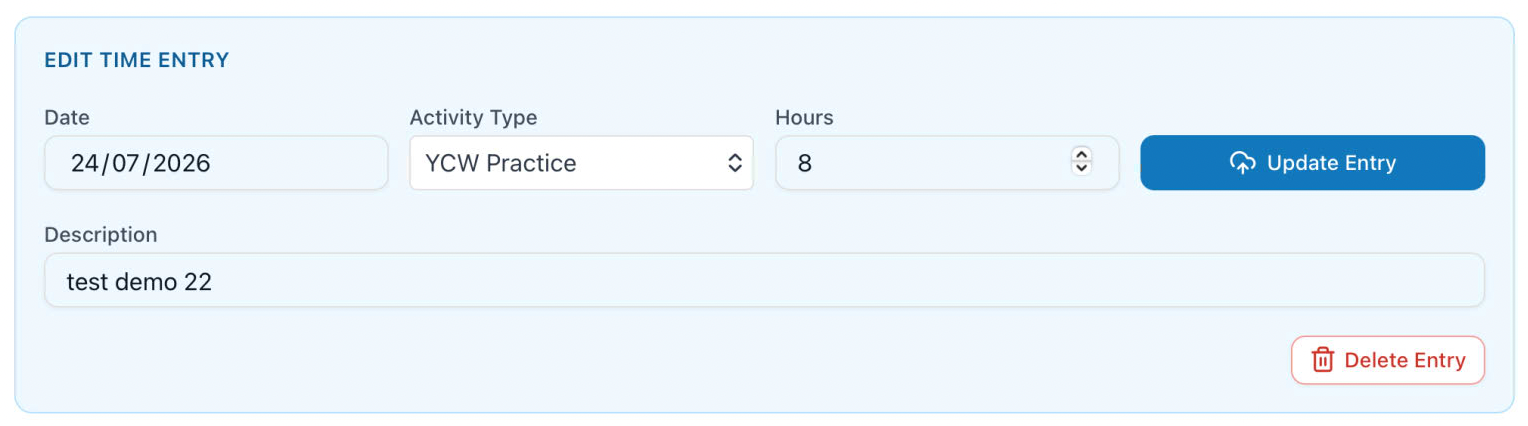
Students can add a time entry from the Add Entry button. This opens a card with 4 fields to complete, all of which are Required.

The Date defaults to today, but is a clickable calendar to select any other day. Activity Type is a drop-down configured by the course type (BAAT, BAATYCW), Hours is a number for decimal hours (to nearest 0.25), Description is for some description of the activity.

Save Entry will perform a save action, and if the student is YCW also refresh the donut display if the Activity is YCW practise. After save the entry box closes. In the event of a desire to cancel the Add Entry button is replaced with Cancel

navigation

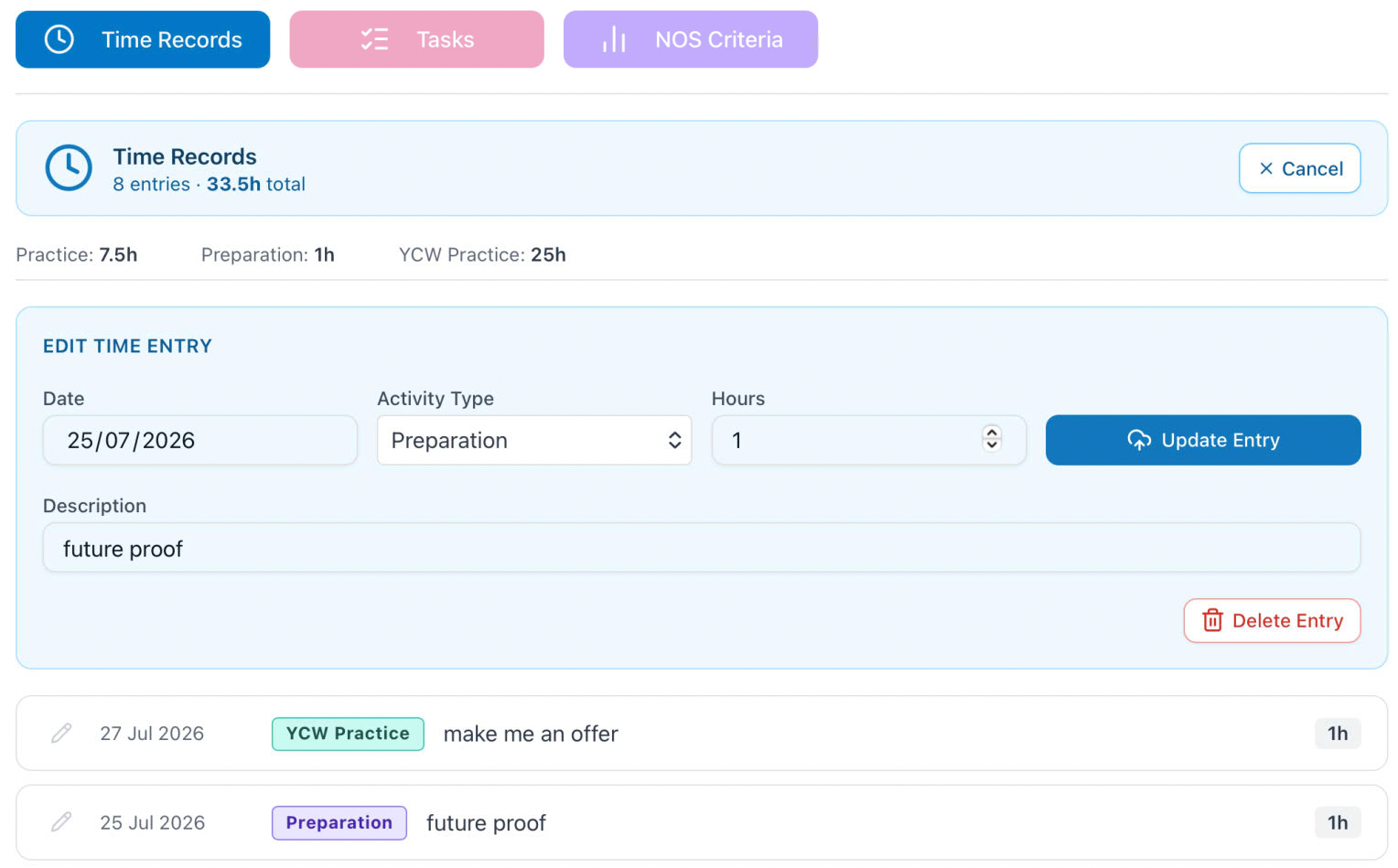
To edit an existing entry that is not locked - by the row being amber and the presence of a lock icon - the Pencil icon button will push that row into the Entry component.

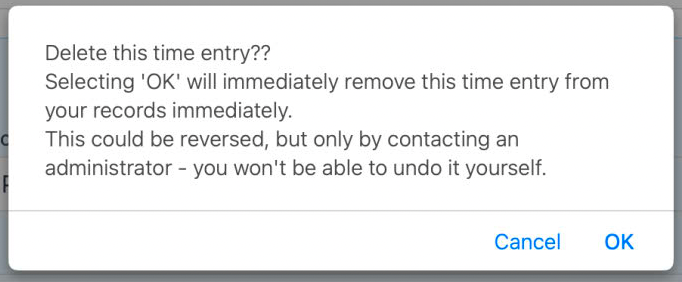
Here it can be amended and the updated data saved with the Update Entry button. In the event that deletion is the required action, the Delete Entry button is used. After a warning alert regarding the destructive nature of the action, this action may be cancelled or proceed.

If either of the above modify the stored data, they will also refresh the donut display for YCW students.

navigation navigation

v2.0.6 Survey construction

· 9 min read
John Renfrew
Programmer and data architect

Version 2.0.6 Survey JS construction

Survey Question Prefix Index

info

current draft document

Reference index of every question-name prefix/convention used in this project's SurveyJS task forms — what it's for, who can see/edit it, and how that's enforced. Pulled together from praxis-consolidated-playbook.md, this session's MQL/LLn work, and the real TaskClient.tsx. Status per entry: Confirmed (seen live or in real code), Designed (agreed, not yet built), Placeholder (reserved, no implementation), or Open (unresolved as of this index).


1. Hidden/system fields — never rendered as questions

All live in a hidden base_panel, injected/overridden by TaskClient.tsx on load — these are the security boundary; stored survey data can't override them.

FieldHoldsNotes
studentIDStudent's IDSet by whichever role's first save creates the record
moduleIDModule contextSee "Fixed" vs "Floating" module assignment in the consolidated playbook
superIDSupervisor's ID once claimedEmpty = no supervisor yet. Drives SQ*/Q* cascade
markerIDMarker's ID once claimedEmpty = no marker yet. Drives MQ* cascade
filesIDComma-separated key:uid pairse.g. "UL1:4183AAE7-...,UL2:..." — plain string, not JSON despite an old debug stub in TaskClient.tsx assuming otherwise
altHide3-state (null/1/2)Placement Review only — controls new-Q/SQ/MQ visibility for that mid/end-year twin-record flow. Purely display, no effect on routing/state
observerObserver's IDNo visibleIf/enableIf cascade defined yet — observer role exists in TaskClient.tsx (isObserver) but has no confirmed question-visibility convention of its own

2. Role-owned answer prefixes

Confirmed — standard three-role set, praxis-consolidated-playbook.md:

PrefixRoleVisibilityEditability
Q1, Q2, ...StudentAlways visibleenableIf: "{superID} empty" (JSON-authored)
SQ1, SQ2, ...SupervisorvisibleIf: "{superID} notempty"enableIf: "{markerID} empty" (JSON-authored)
MQ1 (exact)Marker — publicisMarker || (isStudent && task.state === "marked")code-enforced, not JSON visibleIfMarker-only
MQ2, MQ3, ...Marker — privateisMarker only, at any task.statecode-enforcedMarker-only
  • MQ1's public/private split and the switch to code-enforced visibility (rather than trusting each question's own visibleIf) is this session's design, superseding the older documented convention that all MQ* visibility ran entirely off {markerID} notempty in the JSON.
  • Generic editability rule (this session, code-enforced): each role edits only its own prefix; every other role gets readOnly, including roles that own no prefix at all (observer, and the future tutor). Not locked by task.state for MQ* — deliberately left open-ended (transient internal commentary).
  • SQ*/MQ* visibility has no relationship to task.statestate only drives TaskClient.tsx's own UI locking (upload buttons, autosave, survey read-only mode), confirmed directly from real save-route code.

Confirmed — YCW NOS criteria (session-status-260720.md, marker-save integration (2026-07-21).md):

PrefixMeaningNotes
NQ1, NQ2, ...YW-course ratingScores 13; 0 = not-assessed (seed default)
NC1, NC2, ...YW-course commentOptional
QQ1, QQ2, ...SP-course ratingRenamed from SQ/SC to avoid colliding with the real Supervisor prefix
QC1, QC2, ...SP-course commentOptional
  • Write to two destinations, both confirmed as of 2026-07-25: staffJSON.marker on the ST record itself (so the survey form correctly re-populates these fields on reload), and a separate table (NOScriteria, one row per student, keyed by studentID) — extracted inline during marker-save, non-fatally (a NOScriteria write failure never blocks the actual marker save). Originally documented (2026-07-21) as writing to NOScriteria only — corrected once the staffJSON.marker round-trip gap was found.
  • Fix history — this took three attempts across two sessions to actually land, not one: extractMarkerData() in TaskClient.tsx originally (client-side) only forwarded MQ* + markerID, silently stripping NQ*/QQ*/NC*/QC* before they ever reached the server — identified 2026-07-21, but the fix wasn't actually deployed, confirmed by a live test on 2026-07-25 that still showed the gap. That same test-and-trace also found the identical bug in two further, previously-undocumented locations: marker-save/route.ts's own markerAnswers filter (server-side write), and [rowId]/route.ts's extractStaffSections() fallback filter (server-side read-back) — both also only kept MQ*. All three are now fixed with the same widened five-prefix list, confirmed via a real save → reload round-trip. Full account: marker-save-integration-2026-07-21.md's 2026-07-25 session update.
  • Open: NOScriteria's student-key field name is assumed studentID, not independently confirmed.

Reserved (this session):

PrefixMeaningNotes
MQL (exact)Never a visible questionMarker-only. Presence triggers the auto-loading Inspera score panel — see the MQL playbook. Not a "role-owned answer," a pure trigger/carrier

3. Upload prefixes and their companions

Confirmed, live in TaskClient.tsx's UploadKind union — type fixed by prefix at survey-authoring time, discovered via s.getAllQuestions()

  • regex match on type === "text", then q.visible = false to hide the built-in widget in favour of custom upload UI:
PrefixKindPipelineStatus
UL1, UL2, ...Main documentExtraction service (/extract/direct)Confirmed. Was .docx, now PDF (2026-07-23 decision)
FL1, FL2, ...Supporting fileSame extraction pipeline as UL*Confirmed, always PDF
PL1, PL2, ...PDF, stored onlyNo extractionPresent in code's upload-kind map; backend implementation status not independently verified in this index
AL1, AL2, ... (bare AL = instance 1)AudioNot implementedPlaceholder only — no pipeline decided. Paired C{n} content field is reserved for its future transcript, see note below
ML1, ML2, ...Images, multi-fileContact-sheet endpoint, own component (MultiImageUpload)Confirmed, but see caveat below
  • ML's trailing digit means something different from every other kind: for UL/FL/AL/PL the digit is an instance number (UL1, UL2 = two separate questions). For ML, the digit is the max files allowed (ML5 = one question, cap of 5 files) — confirmed safe only because there's ever one ML question per survey; a second ML question would break this reinterpretation.
  • DL (pptx) is aspirational, not implemented — mentioned only in a code comment as a future kind "extracted like UL." It is not in the actual UploadKind type union and has no entry in the style map. Don't confuse this with DL0* below — same two letters, unrelated purpose.
  • Content field C{n} — now vestigial, not actively used. Reserved for future use, tied to AL*. Each upload question X{n} still pairs with a hidden content field C{n} (e.g. UL1C1) in the code (contentFieldName), and C\d+ still appears in the server-side save/submit allow-lists. But its original purpose — carrying extracted text inline — was already skipped for docx/pdf/pptx uploads even before this session (SKIP_CONTENT_FIELD_TYPES in TaskClient.tsx), with extracted text living on TaskDocuments.extractedText server-side instead. Now that UL*/FL*/PL* are all PDF-only (2026-07-23 decision), every currently-implemented document upload kind falls into that skip list — there's no remaining upload type that actually populates C{n} today. Its only remaining live purpose is paired with AL* (audio, still Placeholder — no pipeline decided) — a future audio transcript is the one case left where C{n} would actually get written to again. Left in place structurally (field mapping, allow-list entries) for exactly that reason, not dead code to remove.

Video — confirmed, separate from the document pipeline entirely:

PrefixMeaning
VL1, VL2, ...Video upload — Bunny.net TUS, async move to S3-compatible storage. Fields live directly on the ST record (videoID, videoStatus, videoEmbedUrl, videoFilename, unsuffixed for VL1; video2ID etc. for VL2+, not confirmed, only inferred by analogy)
V1 (exact, type: "html")Companion display link for VL1's result — HTML interpolates {videoURL}. Visibility: visibleIf: "{videoURL} notempty", testing the field, not V1's own value
A1Stub — same companion-display role anticipated for future AL* audio, mirroring V1. Placeholder only

| Prefix | Meaning | Status | | --- | --- | --- ß| | DL01, DL02, ... | Static download link for a template file the student downloads and re-uploads (paired with a UL*), hardcoded at survey-authoring time | Confirmed convention. Not every UL*/VL* question needs a paired DL0* — plain evidence-upload tasks can have none | | WL1 | Dynamic download link for the renamed uploaded filename | visibleIf: "{XX1} notempty"no role restriction, visible to everyone. Populated server-side after the FTP-renamed-file save completes, independent of the survey's own save cycle | | LL1, LL2, LL3, LL4, ... | Resolvable view/download links for already-uploaded files (video, main file, supporting files, future audio), for supervisor + marker | Designed, not built. See the MQL playbook §8 for full detail. Visibility: "{superID} notempty} or {markerID} notempty" (author-controlled plain visibleIf, not code-enforced like MQ*). Resolves via its own filesID key (LL1:<uid>), reverse-direction of UL1's uid — points at a read-facing lookup, not a patch target. Still open: which record/table the filename/URL actually lives on |


5. Special-purpose / non-prefix carriers

FieldMeaningStatus
XX1Hidden carrier — never written back from the survey form itself; written server-side by the upload/video pipeline right after the FTP-renamed-file save completes. Lives in staffJSON.all — a third sub-key alongside super/marker, for content owned by no single role's save action, survives student/supervisor/marker saves automatically via existing pass-through/allow-list logicConfirmed
R1Whole-task resubmission — single question holding the prior task's student answers + marker feedback, condensed into one plain-text entry (not a per-question mirror). Excluded from aggregatedLog so it isn't double-countedConfirmed, scope currently believed Flow-B-specific, not yet confirmed general

6. Role editability — generic rule (this session)

Applies across Q*/SQ*/MQ*, code-enforced, ignoring whatever the survey JSON's own visibleIf/readOnly says:

PrefixOwning roleEveryone else
Q<n>studentreadOnly
SQ<n>supervisorreadOnly
MQ<n>markerreadOnly
(no prefix)observer and the future tutor role — always readOnly, on everything
  • tutor doesn't exist as a role yet in TaskClient.tsx (student / supervisor / marker / observer only). It's planned as a broader version of observer — its own tutor-to-student relationship model will define which students/placements it can see, replacing the placement > supervisor flag observer uses today. That model is deferred; the only settled behaviour is that tutor, once it exists, never edits anything, same as observer.
  • This is client-side defense in depth, not the real security boundary — the server-side allow-lists in save/route.ts/ submit/route.ts (Q*/UL\d+/C\d+ only) are what actually stop a role from persisting a value it shouldn't.

7. Open items across this whole index

  • observer's own question-visibility convention — never defined; only the hidden observer field exists.
  • PL*'s backend implementation status — present in the upload-kind code, not independently confirmed as a live server-side pipeline.
  • DL (pptx upload) — comment-only, not a real implemented kind.
  • VL2+'s field-suffix convention (video2ID etc.) — inferred by analogy, never directly confirmed.
  • NOScriteria's student-key field name — assumed studentID.
  • LLn — filename/URL storage location entirely undecided; see the MQL playbook §8 for the current state of that design.

v2.0.5 Maintenance mode

· One min read
John Renfrew
Programmer and data architect

Version 2.0.5 maintenance mode

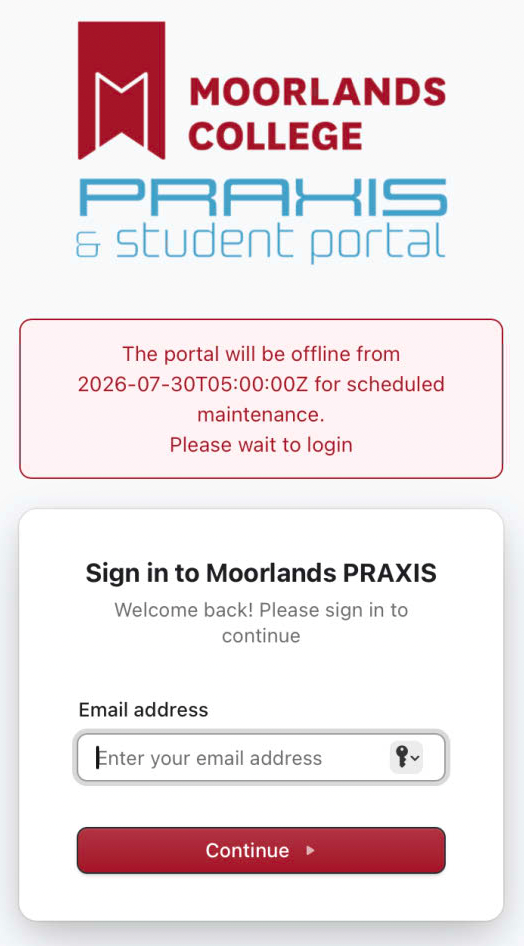
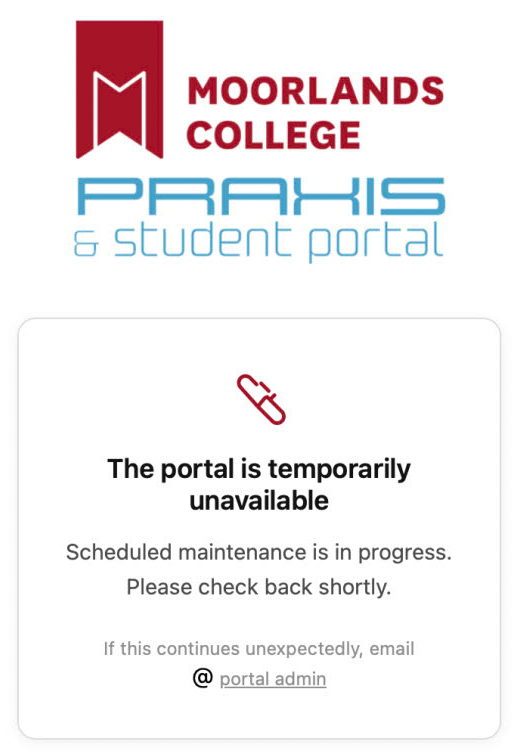
In the event that there is to be planned maintenance or downtime, users will be notified at the login page.

navigation

When the system is not operational there is a dedicated maintenance page.

navigation

In the unlikely event that the PRAXIS app server is unavailable then you will not be able to get to any route, and should see a dedicated page.

navigation

v2.0.3 Supervisor view

· One min read
John Renfrew
Programmer and data architect

Version 2.0.3 supervisor view

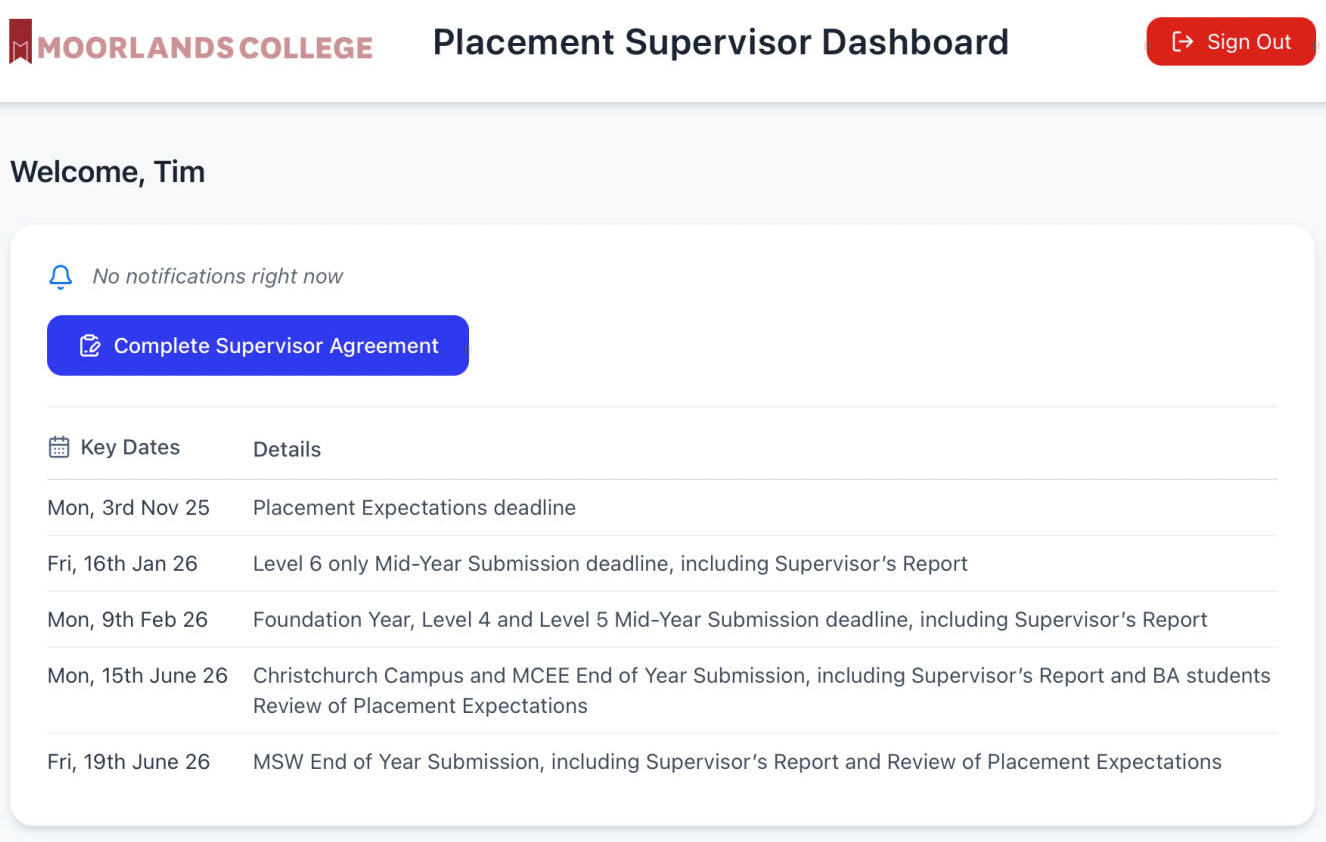
The header section contains a simple notification area, where messages from the system admin appear. Until the supervisor agreement is returned a blue button will be shown and no interaction with student data is possible.

navigation

Once the agreement is signed, that is indicated, and student access is available.

navigation

Middle section

List of your students, select row to reveal tasks or time records

Resources section

A panel containing importatn links to external documents or sites

v2.0.2 YCW elements

· 3 min read
John Renfrew
Programmer and data architect

Version 2.0.2 student views with YCW-specific elements

Open/Closed toggle

To open (or then close any of the subsections) each of the coloured buttons will enter the stated section

navigation

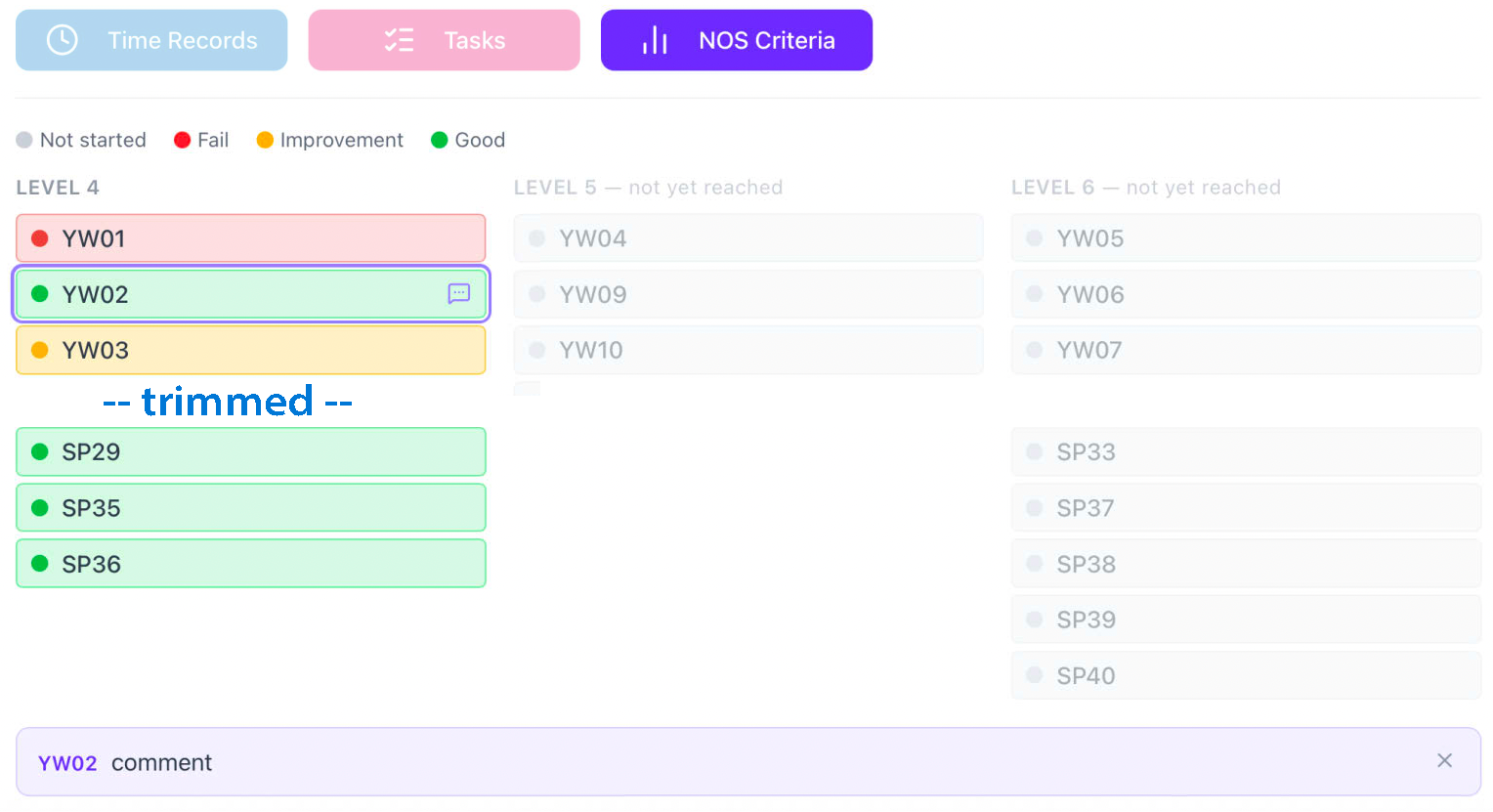
NOS criteria

This section shows the progress meeting NOS criteria over the whole course duration. Each band will show the current score for that element, according to the key at the top. If there is a comment indicator icon, selecting it will highlight the row and put the comment into a common display area at the bottom of the list.

nos criteria

Time recording

see 2.0.7 for fuller details.

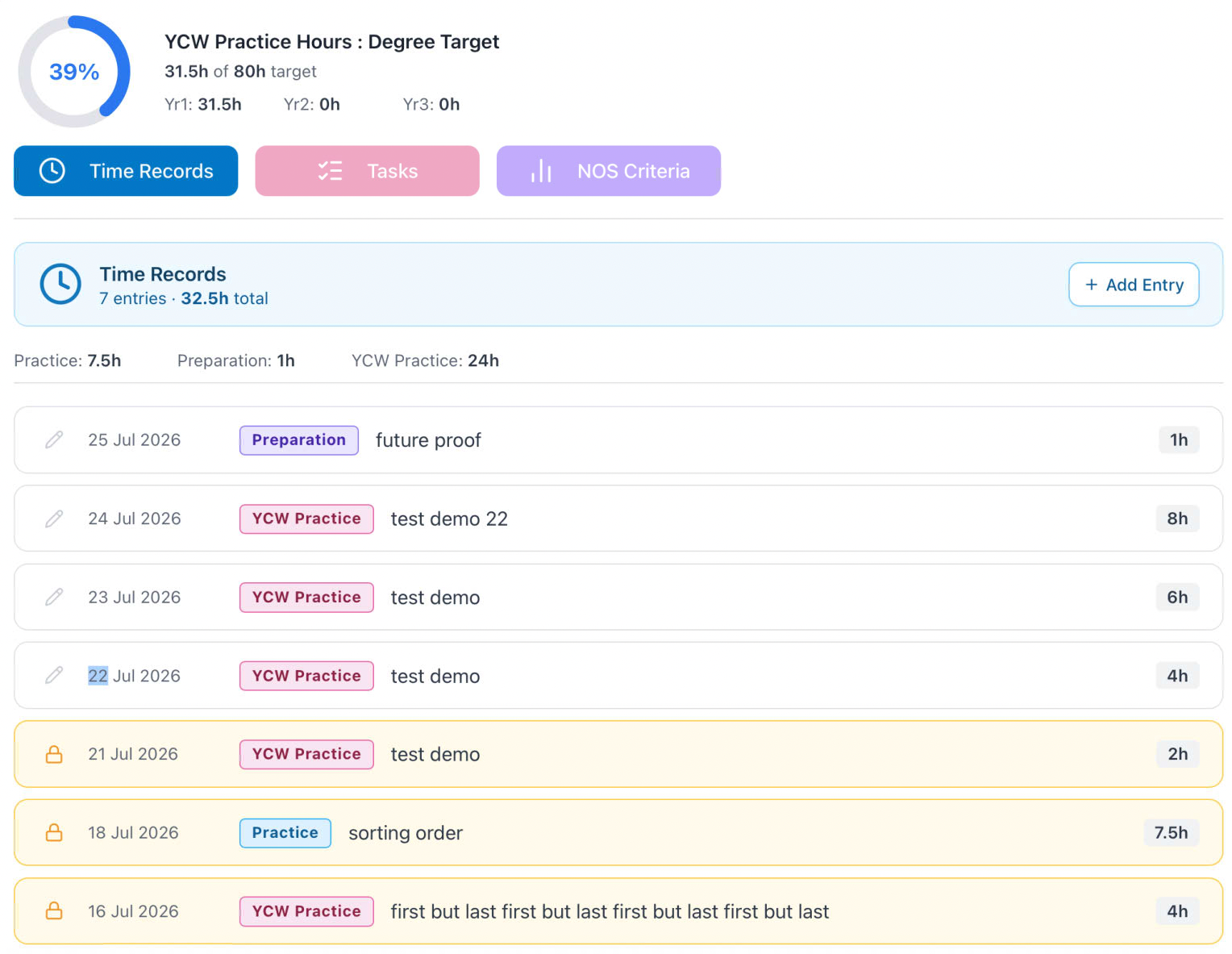
Time Records now reflect the three activity possibilties (2 for BAAT). Entries that are locked (by supervisor action with review and agreemnt). The pills show the activity type and the first 100 characters of the activity description are shown. Above the items are subtotals for each type and further above a grand total for the year.

For NOS students there is a higher display element, which shows the total hours towards those required for non-faith placement across all three years.

update this image

nos criteria

Any row that is not locked may be edited by using the pencil icon, which puts the item into the entry component, where you may edit any of the fields. This is only saved by using the Update Entry button. The item may also be deleted from here, using the Delete Entry button. You will need to confirm this, as it is a destructive action.

nos criteria

Student Tasks

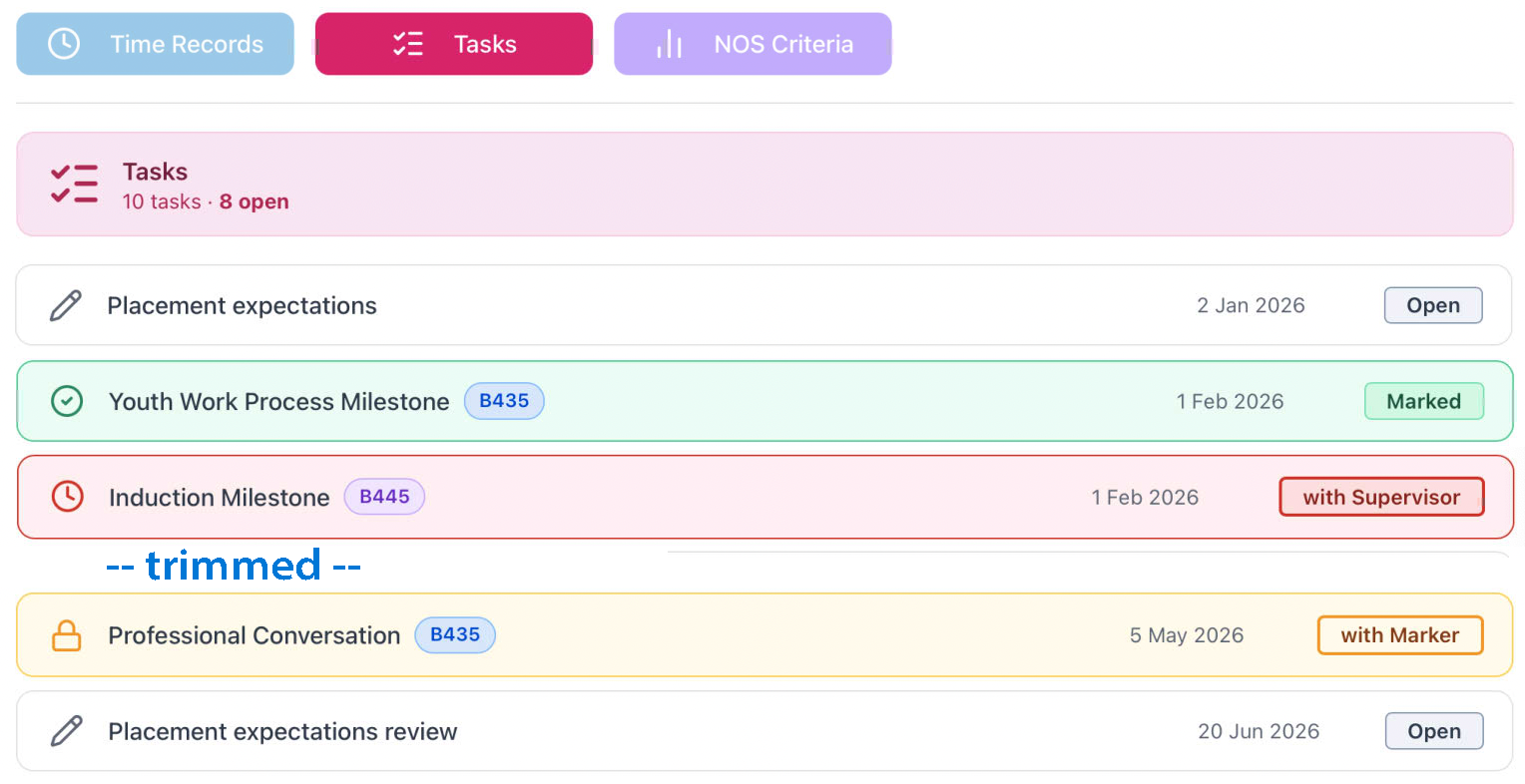
Student tasks show a header with total tasks for the year and the number still 'open'. Once submitted the record is then locked to edit by students. If the Task is still waiting for a Supervisor response, that is clearly indicated to you, in red, and once that has been completed but yet to be marked then it will be amber.

For NOS students, tasks may be assigned to one specific module and these are indicated on the row where this is relevant.

nos criteria
info

Colours/ lables /icons have been checked against WCAG 1.4.1 "don't rely on color alone" principles

v2.0.1 Devops

· 2 min read
John Renfrew
Programmer and data architect

Version 2.0.1 backend improvments

  • 404 errors
  • session timeout

404 errors

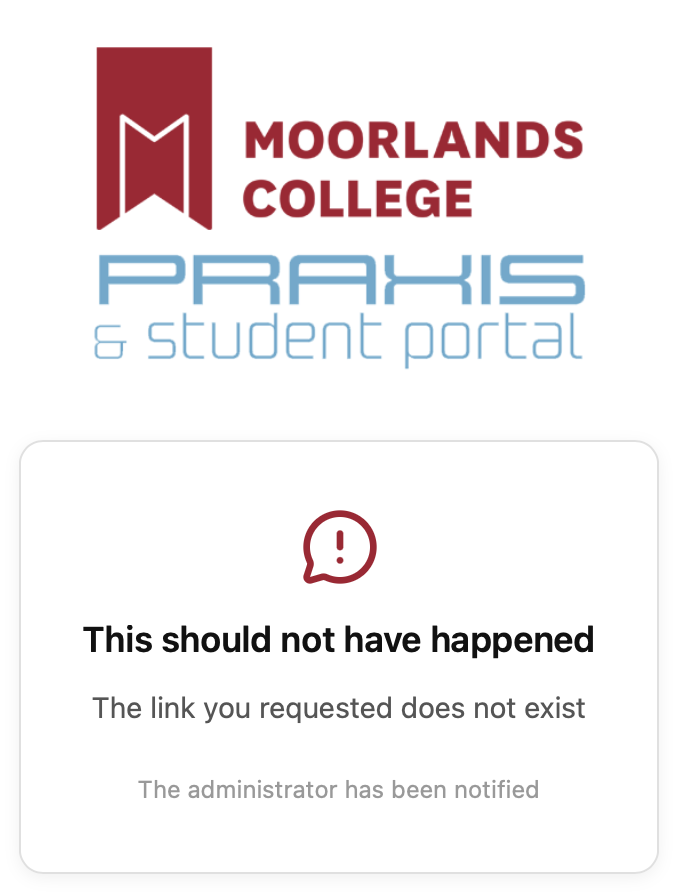
If a users selects a link to download or view a document and the file is unavailable, a dedicated 404 error page is presented. A notification by Pushover is immediately sent, containing the link for the missing page, allowing for a quick fix.

portfolio

Session timeout

A session timeout has been applied to PRAXIS for students. If a student is logged in and then closes the browser window, they are still logged in for the duration of the timeout, and so can navigate directly to routes in the app. This is very useful but does provide a small unintended hole, that if another user has access to the device, then they would be able to see data belonging to the other user. This is no different to a shopping cart for Amazon remaining accessible, but is not really desireable.

Once the timeout is reached any request for data will redirect the user back to /login. Currently set at 6 hours, to allow a decent working session, we are investigating adding an activity flag to Clerk, storing a lastActivityTime alongside the lastLogged in, and then using that with a much shorter timeout (60 mins)

v2.0.0 Milestone

· 2 min read
John Renfrew
Programmer and data architect

Version 2.0.0 documentation release

  • Naming decision for this project
  • Code revisions
  • User routing
  • Docusaurus update

The student portal section is still Portal, but the part that refers to Placement activity recording and marking now has a name!

We are now PRAXIS™

All dev code for the site has been updated with logos and being the scenes folders and paths that referred to /portfolio have been changed to /praxis

There is a playbook for the navigation map based on User definitions. These are linked to the presence of id numbers in fields in the Clerk private metadata as described here

High-Level Routing Logic

All routing decisions are made server-side in /(auth)/post-login/page.tsx. The resolved private metadata drives a single redirect. No client-side role detection.

On login:
resolve private metadata from /api/current-user

if studentId !== ""
→ /dashboard (Portal — student landing)
▶️ action button to /praxis/student (a list of placements)

else if markerId !== "" [all markers are staff]
[markerId sub-role evaluated within Portal, not at login]
▶️ action button to /praxis/marker (a list of marking and moderation)

else if staffId !== ""
→ /staff-dashboard (Portal — staff landing)
[sub-roles evaluated within Portal, not at login to cover staff being a supervisor]
▶️ action button to /praxis/role (a list of marking and moderation)
[if tutor has back button on /super route]

else if superId !== ""
→ /praxis/super (Praxis — direct federation, no Portal)

else if observerId !== ""
→ /praxis/super (Praxis — observer flag set, no Portal)

else if moderatorId !== "" [no staffId — external moderator edge case]
the user will have no Praxis access (26-05_12)
all moderation done in Sopley Central

else if externalId !== ""
→ /praxis/external (Praxis — direct federation, no Portal)

else
→ /error (no recognised identity)

Key rule — Marker routing: A marker is normally internal staff and will have a staffId. They land on /staff-dashboard and enter Praxis from there. In the unlikely event that there is a markerId-without-staffId, a branch handles this — they federate directly into Praxis in the same way as a Supervisor.

Key rule — presence checks: All role ID fields are empty strings "" when not held, not null or undefined. All checks must use !== "" not !!value.

Docusaurus version update

To version 3.10.1, code cleaned and sanitised for new features

v1.1.8 Playbook

· 3 min read
John Renfrew
Programmer and data architect

Version 1.1.8 documentation release

  • Naming strategy for tasks and groupings of tasks
  • Playbook release for comment

The most recent iteration of the playbook (0.2b) has suggestions for the terminology required for task creation and assignment, after a test FM file was created to look at the relationships that would be needed to provide a re-usable interface for getting from a single definition of a task to the individual set that a student needs to interact with on a placement.

The Task creation and entry has two parts, the creation of a surveyjs template saved as JSON, which describes fully the form of questions that will be presented to a student, and the metadata about which module(s), level, course which apply to this - along with some additional flags. The record will show an isActive state, and a date of introduction and also a date of retirement. Once the current date has passed either the introduction or retirement date, the active flag will update.

These tasks may be gathered into a TaskSet, as a convenience holder for multiple similar or parallel Tasks to be carried forwards together. This a re-usable short-hand designed to bring soem time-saving with maximum flexibility. These can be a named group to assist Admins to gather all the tasks that will be required in the next step.

A TaskScheme is a year-scoped record which builds a list of the taskIDs defined by linking to one or more TaskSet records and individual Tasks. Because there is a requirement for all Placements to complete a PlacementExpectation, there will be a method to select from the relevant possibilities. This scheme will have an action button to generate child YearSet records as a one-to-one match for all the referenced Task records linked to the TaskScheme. These will contain a store of deadline dates for each activity for each of the study modes/centres. These form the default date when later instantiated for the Student.

When a student is assigned a Placment record for the current year, the correct TaskScheme link is applied, and all of its YearSet records are used to create all of the StudentTask records that reveal which activities a Student needs to complete during the Placement. These are created with the relevant deadline data from the YearScheme record.

Part of the creation of the records may involve some schema which defines the onward routes allowed - defining who may interact with the record next, and whether or not it is allowable to resubmit the whole thing. It is key that this does not change any already set late flags but will allow the record to return to an 'open' state. This may involve additional stamp fields, but definitely requires audit logging of the action.

Archtitecture is therefore TTPTSYSST

Interactions are Role driven, and these have been defined and enumerated for:

  • Student
  • Supervisor
  • Observer
  • Tutor
  • Marker
  • Moderator
  • Admin