Time recording
selection
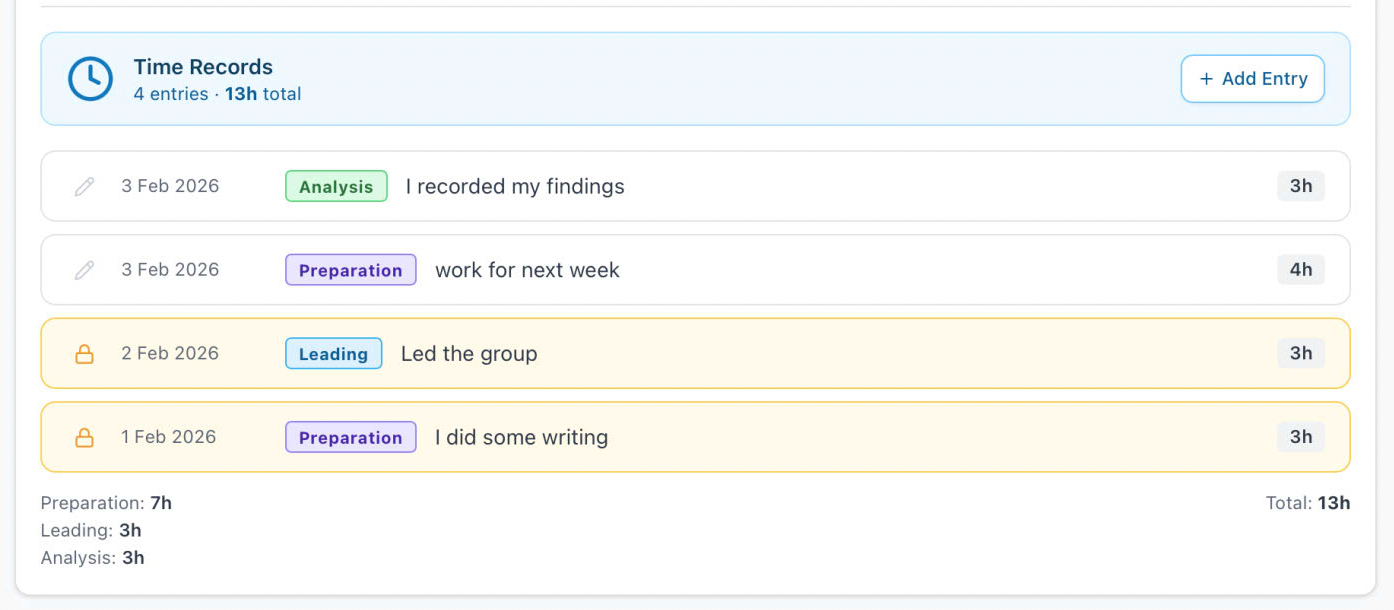
When you select the blue Time Records button, information will display underneath. At the top the toolbar shows the number of records and the sum of hours recorded. Each record will show the date entered, the type of activity, a short precis of your description or notes, and the time recorded. This should be in hours to the nearest 15 min blocks - so 1.25 as an example. Any record that are displayed in yellow, with a lock icon, are no longer editable. There is a delete, but can just edit all of the fields to new values, or enter the time to 0 hours. At the top right is a button to Add a new entry.
entry
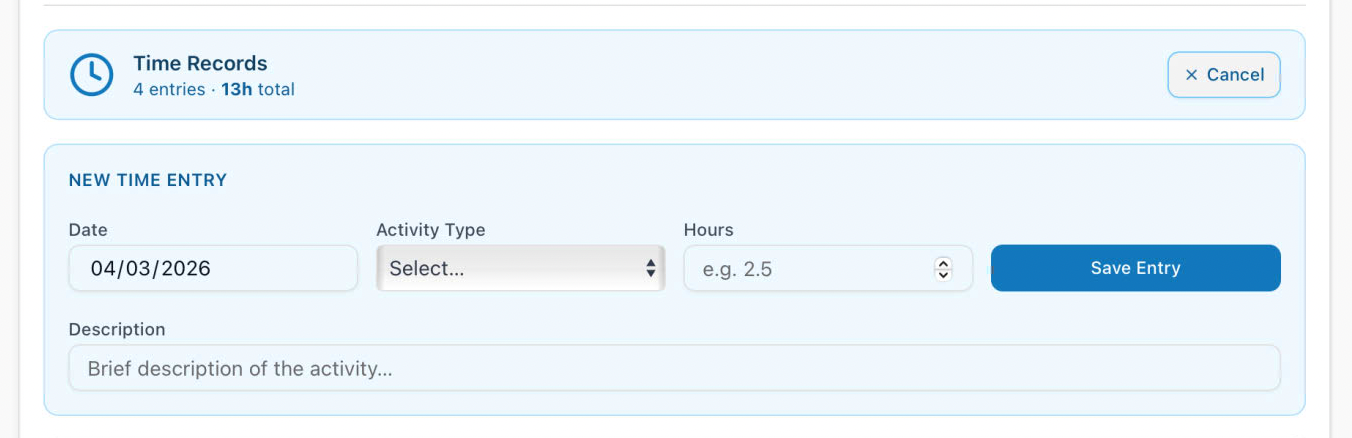
This will drop down an entry section for you to enter the date, activity type, hours spent, and a short description of your activity. All of these fields are required, so the Save Entry button will indicated when it is unable to poceed. You may cancel the entry and close the component with the Cancel button above.
editing
At any time you may edit any entry with a pencil icon on the row. Selecting it will transfer that information into the top element where you can amend as desired, and the button will change to Update Entry